
Overview
Many financial institutions display cookie notices to inform visitors how data may be collected and used across their websites.
Cookie notices can influence:
-
What data is tracked
-
What data is available in reporting
-
How consistently tracking behaves across devices and sessions
The purpose of this guide is to describe common cookie notice patterns, what they generally do, and what you can typically expect from a tracking and reporting standpoint.
This guide is informational only. It is not an audit and does not recommend a specific configuration. Final decisions always sit with your compliance team.
What This Covers
This guidance focuses on how cookie notices typically appear on primary website pages and how different configurations can influence:
-
Whether visitors must take action before browsing
-
Whether site activity can be observed consistently across visits
In many configurations, closing a cookie notice dismisses it for the current visit, while the notice may reappear on future visits until a preference is explicitly saved. Exact behavior varies by configuration and should be confirmed during implementation.
Cookie notice preferences are typically stored for a defined period and may reset after a set timeframe. Some configurations may reset sooner based on browser settings, device changes, or cookie clearing.
A Common Decision Most Institutions Face
Most cookie notices fall into one of two general approaches.
Option 1: Notice Requires Visitor Action
Visitors must select an option such as “Accept,” “Decline,” or “Manage Preferences” before continuing.
Common characteristics:
-
Highly explicit and compliance-forward
-
Introduces an additional step before browsing
-
When a prominent option to decline is presented, some visitors either decline or leave without continuing.
This approach is typically used when compliance policies require explicit acknowledgment before site activity can occur.
Option 2: Notice Does Not Require Visitor Action
The notice is visible, but visitors can continue browsing without clicking anything.
Common characteristics:
-
Often used across financial institution websites when permitted by compliance
-
Less disruptive to browsing, especially on mobile
-
Still provides access to privacy and cookie policy information
In this pattern, disclosure remains visible while visitors continue browsing. Tracking behavior and persistence still depend on how the Consent Management Platform (CMP) is configured and how consent is interpreted.
Common Display Patterns
The patterns below reflect approaches commonly observed across financial institution websites.
These examples are illustrative only. Final decisions vary by institution and must be approved by compliance.
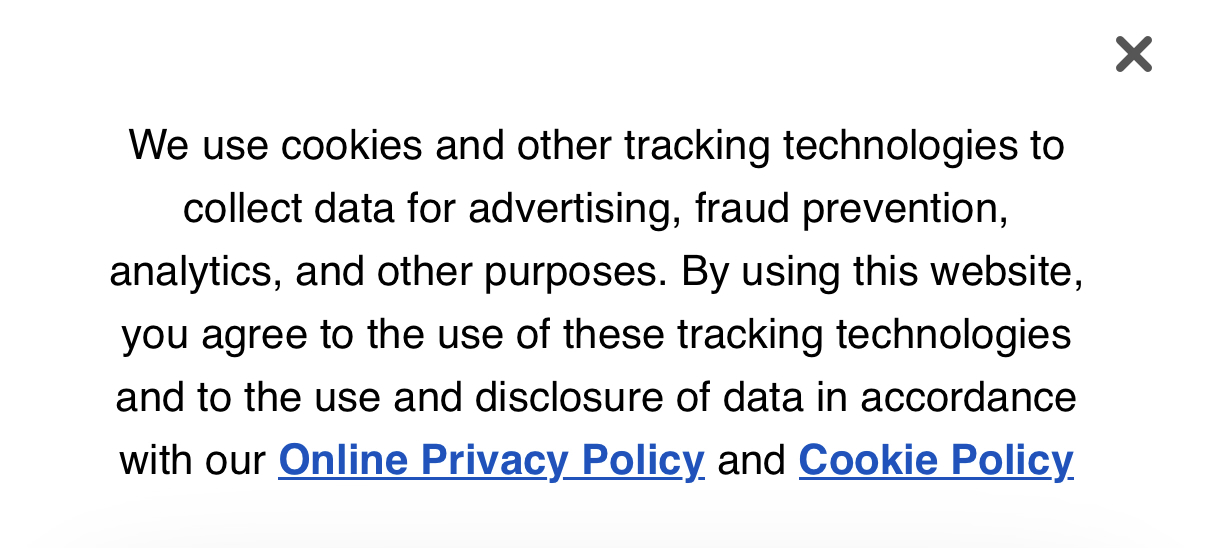
Pattern A: Informational Notice (When Allowed)
-
Appears at the bottom of the page
-
Provides a brief disclosure (often framed as “by using this website…” or “by continuing to use/browse…”)
-
Includes links to the Privacy Policy and Cookie Policy
-
Allows the notice to be closed
-
Does not block browsing
This pattern keeps disclosure visible while avoiding interruption.
Desktop Example (Bank of America)

Mobile Example (Bank of America)
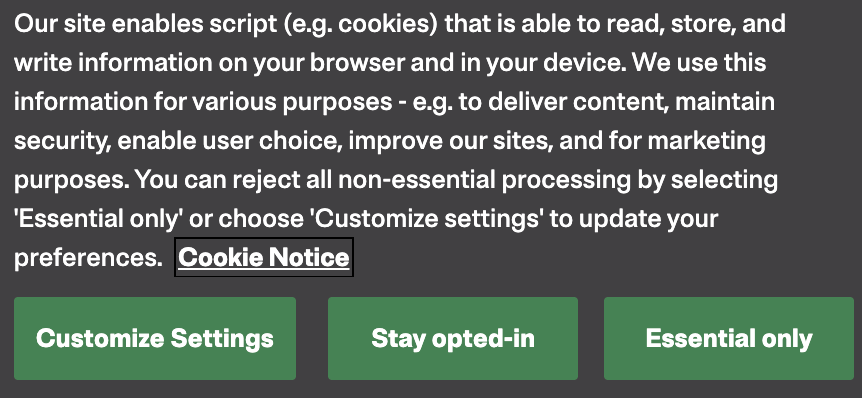
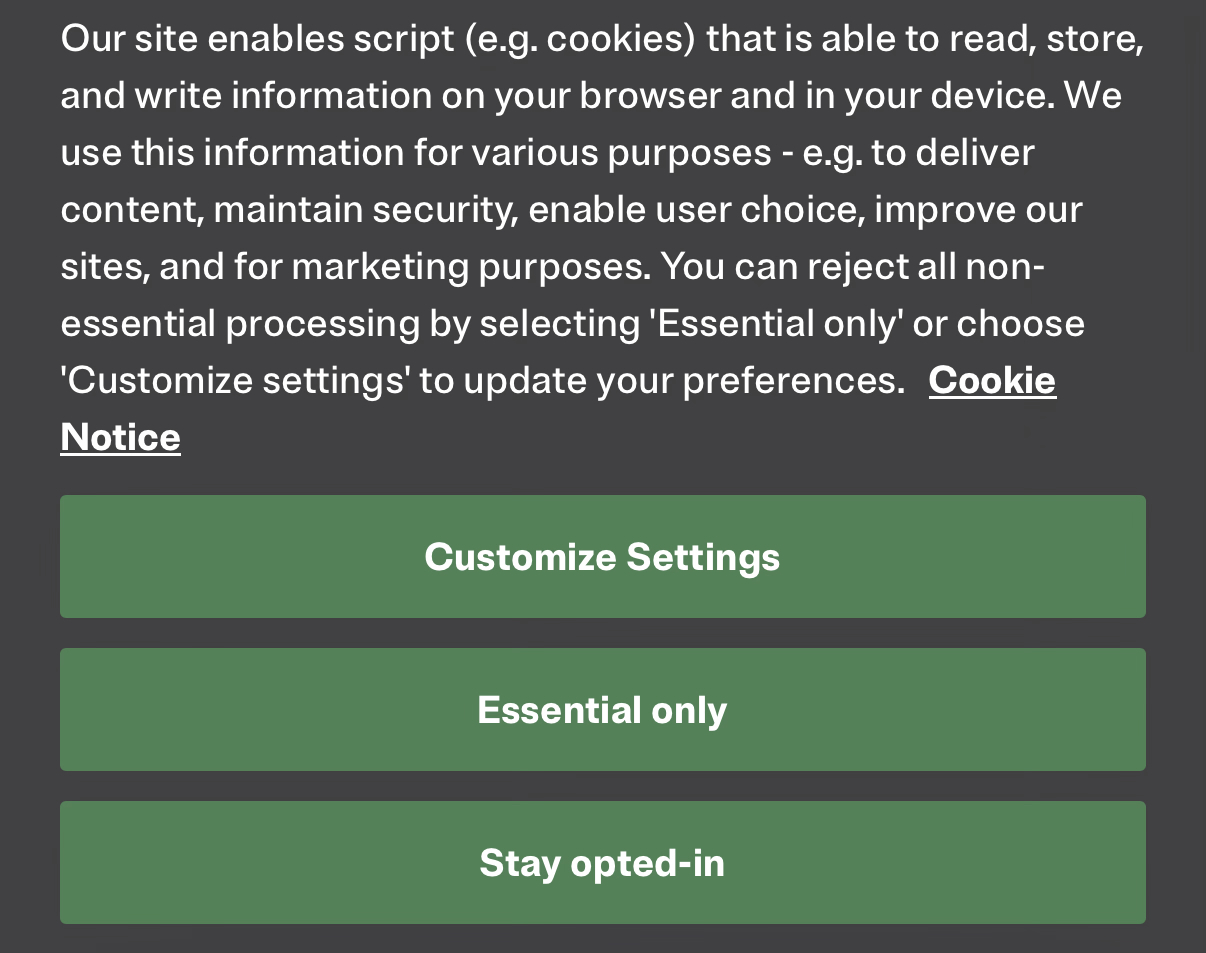
Pattern B: Preference-Based Notice (When Required)
-
Allows visitors to review or adjust cookie categories
-
May require a selection (for example, “Essential only” vs “Stay opted-in”) before non-essential cookies/tags and measurement occur
-
In some configurations, may also block browsing until a selection is made
-
Uses clear, straightforward language
-
Designed to function cleanly on both desktop and mobile
This pattern is most often used when explicit controls are required by compliance.
Desktop Example (Citizens Bank)
Mobile Example (Citizens Bank)
Review Considerations
When reviewing a cookie notice configuration, institutions typically confirm:
-
Does it block browsing?
-
Does closing the notice dismiss it temporarily, or save a preference?
-
When does the notice reappear?
-
Where can visitors review or change preferences?
What Typically Changes When Visitors Decline Non-Essential Cookies
If a visitor declines non-essential cookies or selects an “Essential only” option, measurement and advertising visibility can be reduced. The exact impact depends on configuration, but commonly affected areas include:
-
Analytics measurement that supports session continuity and repeat-visit visibility
-
Advertising and remarketing cookies used for audience building and ad personalization
-
Conversion measurement that relies on client-side identifiers or cross-session persistence
-
Consistency of reporting across devices and repeat visits
How to Think About These Considerations
There is no single approach that fits every institution.
-
Action-required notices provide clearer acknowledgment, but can increase interruption or disengagement.
-
Less intrusive notices prioritize continuity of the browsing experience when compliance permits.
Where compliance allows flexibility, some institutions use layouts that keep disclosure visible without forcing an immediate decision, while still providing clear access to privacy and cookie information.
RAIN’s role is to outline common approaches, explain typical tradeoffs, and provide examples so your team can align the notice experience with your policies.
How This Guidance Should Be Interpreted
-
This document does not recommend one approach over another from a compliance standpoint
-
Examples are provided for illustration, not as prescriptions
-
Implementation decisions should be reviewed internally and approved by compliance
Key Takeaways to Keep in Mind
These points are intended as helpful context, not recommendations:
-
This guide outlines common cookie notice approaches and how they typically behave, without directing institutions toward a specific setup.
-
When permitted, less disruptive notice formats often preserve a smoother visitor experience and more consistent measurement over time.
-
Peer examples can help frame internal discussions, but final decisions must align with each institution’s compliance requirements.