If you have the access you need, but don’t see a request yet, you may have beaten us to the punch, or you may just find it easier to send us access rather than wait for and find our access request! Here’s how:
-
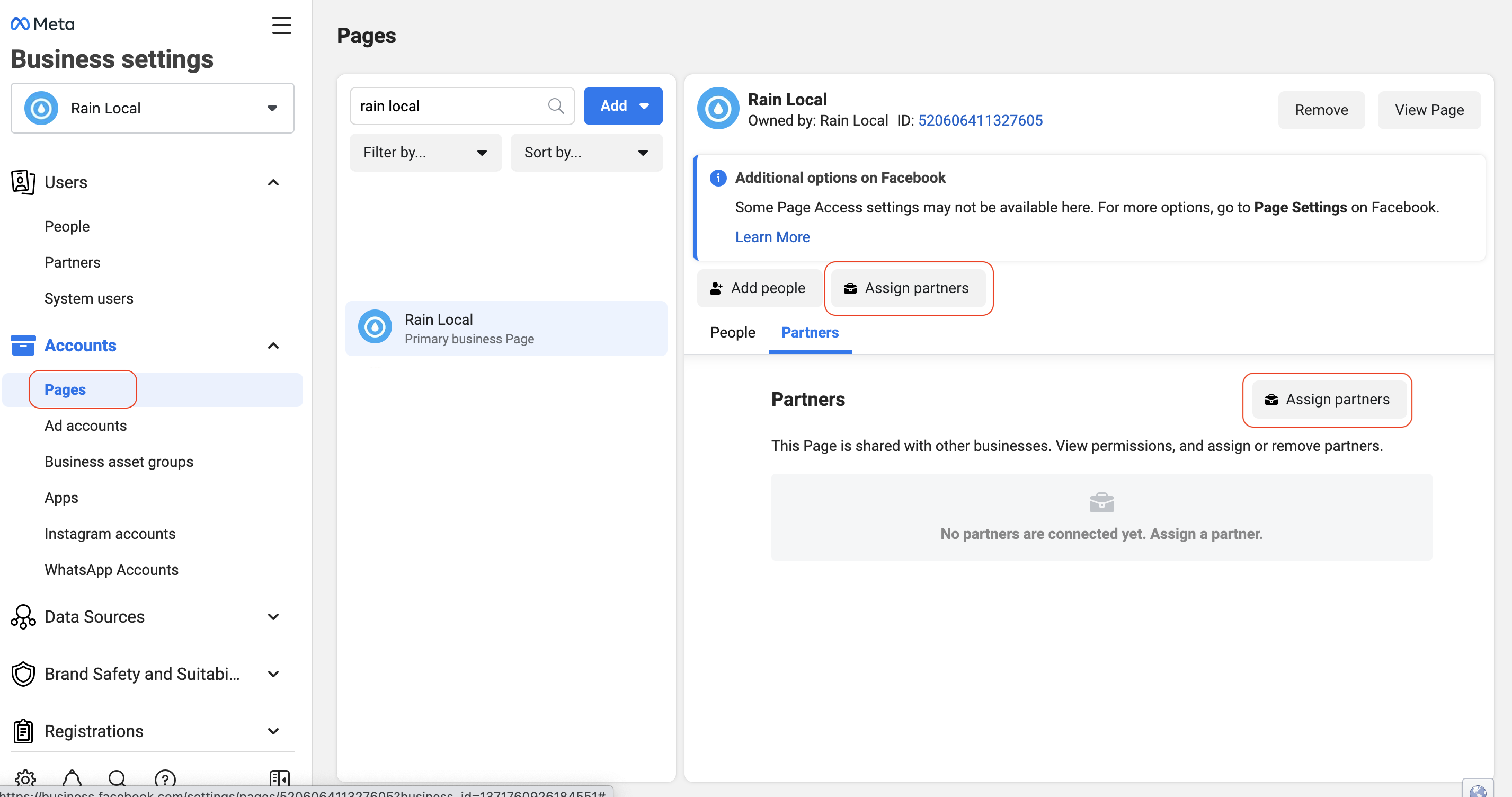
Go to Meta Business Settings (business.facebook.com/settings)
-
Select the right business (if you have access to more than one)
-
-
Go to Pages (in the Accounts section)
-
Select the page we’ll be advertising for
-
Click on Assign partner, and a pop-up window will appear
-
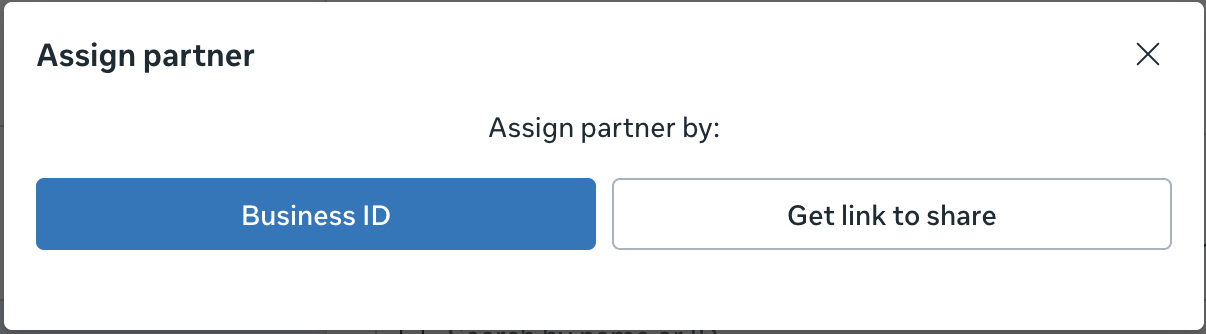
Select Business ID
-
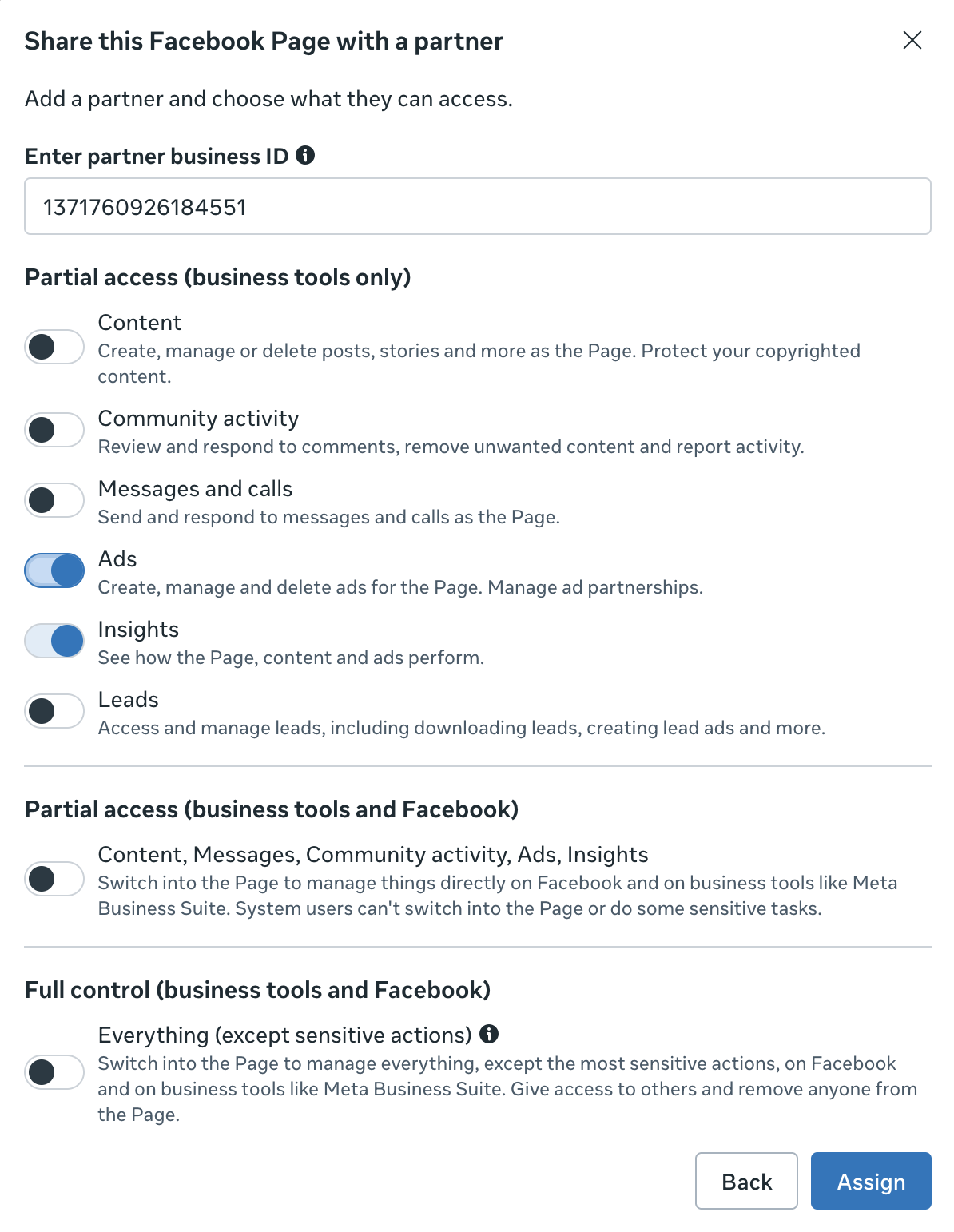
When the next pop-up window appears, enter:
RAIN’s Business ID: 1371760926184551
-
We will only need access to two items in the list: Ads and Insights. Please select those two options, then click Assign
You’re done! We’ll find and accept your request to provide us access from our end.
Thank you!